Skip To Translation Selection Skip To Top Navigation Skip To Content Skip To Footer
Emergency Alert
UDC Operating Remotely on Friday, Jan. 30

The University of the District of Columbia’s academic and administrative offices will conduct business remotely on Friday, Jan. 30. All on-campus activities, including athletic-related activities, are cancelled.

Campuses will reopen on Monday, Feb. 2.

Staff: Contact your immediate supervisor with questions or for further instruction regarding remote work expectations. 

Faculty: Reach out to your immediate supervisor and/or the dean for questions and further instruction regarding the transition to emergency remote instruction (ERI).  The Center for the Advancement of Learning (CAL) is available to support faculty with instructional continuity, including support for Blackboard, Zoom, Webex and other teaching and learning technologies. 

CAL Faculty Support Resources

calhelpdesk@udc.edu 
Virtual Office Hours
Consultation Request Form

For learning technology tools and on-demand faculty resources, please visit CAL’s website.

Students: Due to inclement weather, the university will be closed to face-to-face operations. Instruction will be moved to emergency remote, including synchronous and asynchronous methods. Certain laboratory, clinical, and other hands-on classes for which in-person instruction is a requirement may necessitate a make-up lesson, but every effort will be made to pursue virtual learning to the extent possible. Where synchronous virtual instruction is intended, published class meeting times must be observed so that students’ schedules are not disrupted.

The safety and security of our students, faculty, staff, and the broader community remain our top priority. We will continue to provide updates regarding the status of the university’s academic and administrative offices as conditions change.

Please continue to check our website and social media channels for the latest information.

If you have any safety concerns, contact OPSEM at 202-274-5050. For all immediate emergencies, call 911.

Thank you for your continued dedication to our students and to UDC’s mission. 

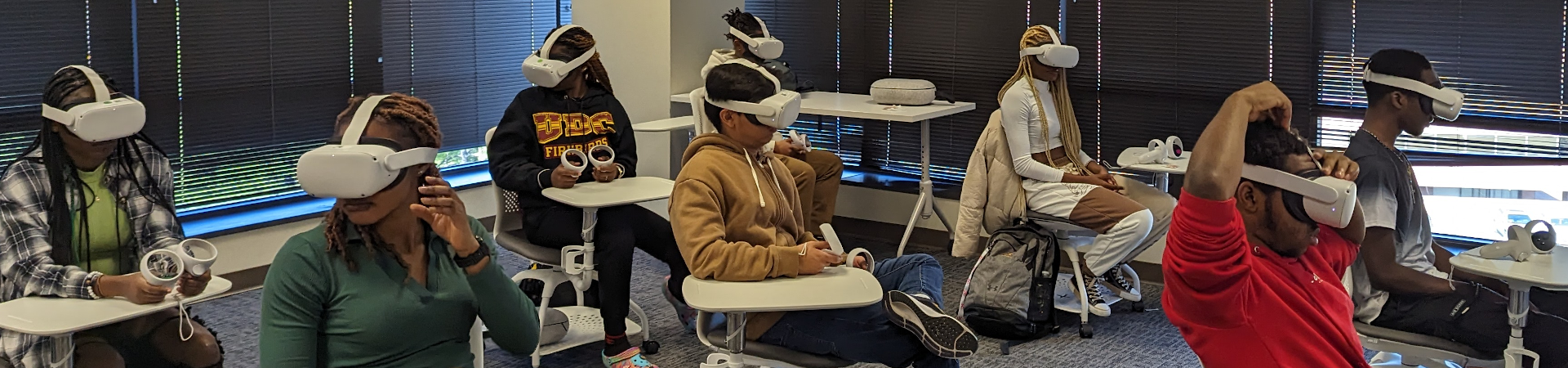
Classroom of students sitting at desks wearing virtual reality headsets.

ThingLink

ThingLink

Logo for ThingLink. A square camera made of blue, orange, green, and red corners.

What is ThingLink?

Thinglink is an immersive learning platform found to ease the adoption of virtual reality and augmented reality technologies in education. The platform is designed for streamlined immersive content creation and sharing. ThingLink assists in creating high-quality digital learning materials that boost student engagement and experiential learning. ThingLink is available to UDC faculty, staff, and students.

You can access ThingLink from the Blackboard course site either under Books and Tools or directly from the link below. You can also download the mobile app; it is available for iOS and Android.

ThingLink Home Page
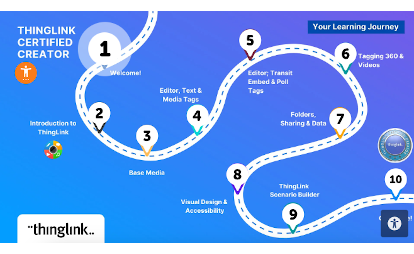
A roadmap of ThingLink's Certified Creator program with numbered stages following a winding road called learning journey.

How to use ThingLink

To activate your account and login, please watch this video

Tour of the ThingLink Interface: click here

Adding Tags: click here

Pedagogy In Practice: to view real use cases of Thinglink, click here

Are you having issues with ThingLink? Email support@thinglink.com

ThingLink Certified Creator Course
Back to Top
Take The Next Steps, Today!